Create a primary NIC
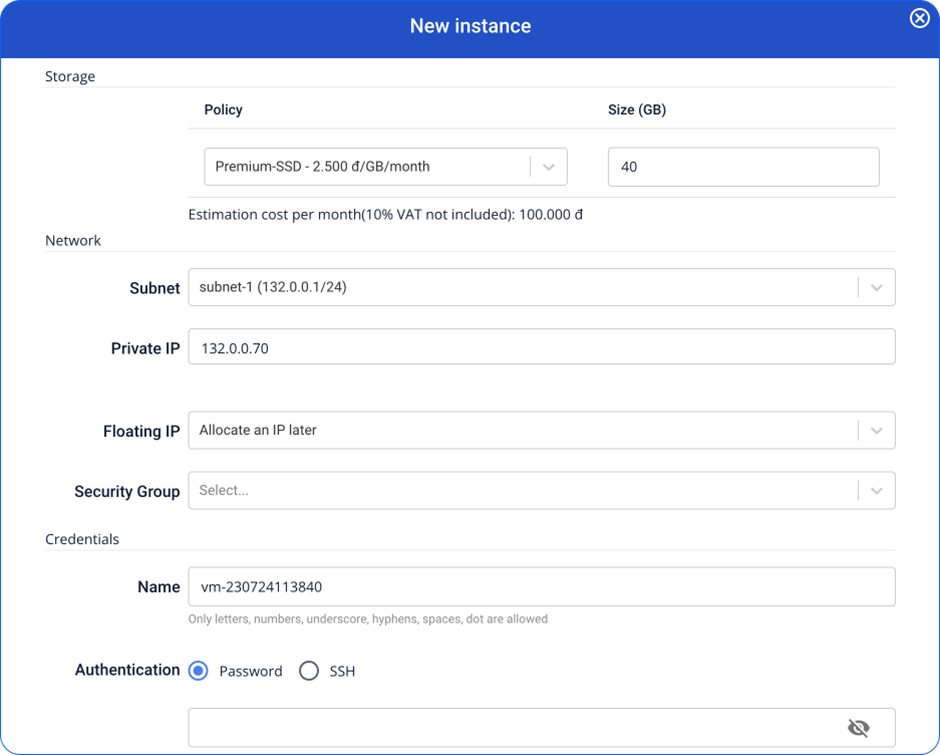
When an Instance is created, the system automatically generates a primary NIC based on the information you provide.
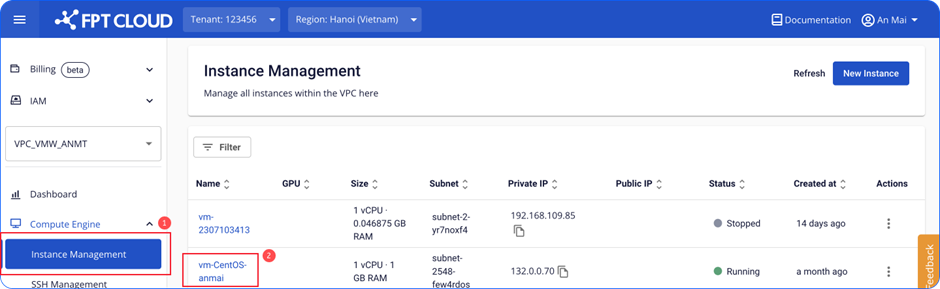
- In the menu, select Compute, then open the Instance Management tab. Select the Instance you want to manage.
-
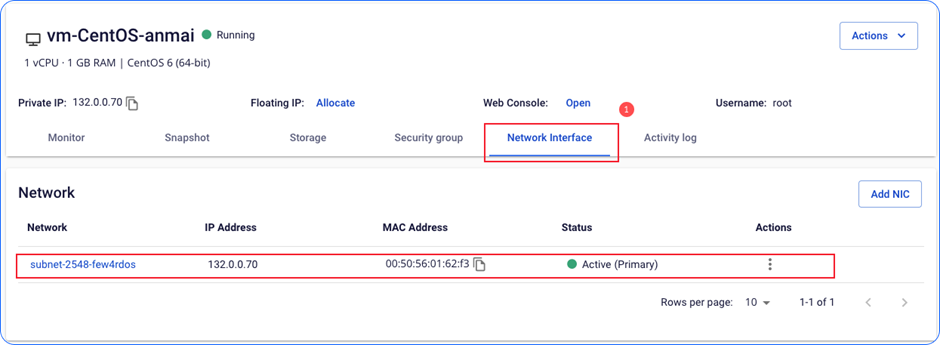
Select the Network Interface tab.
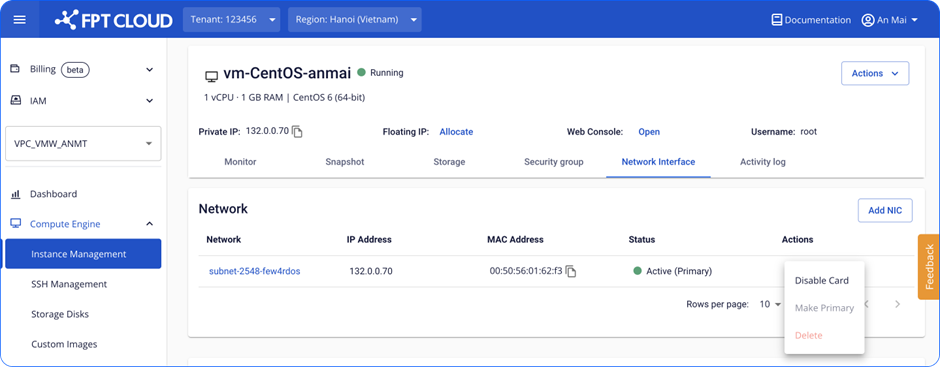
This tab shows all NIC cards for the Instance. If only one card is present, it is the primary NIC by default. For the primary NIC, only the Disable action is available.